
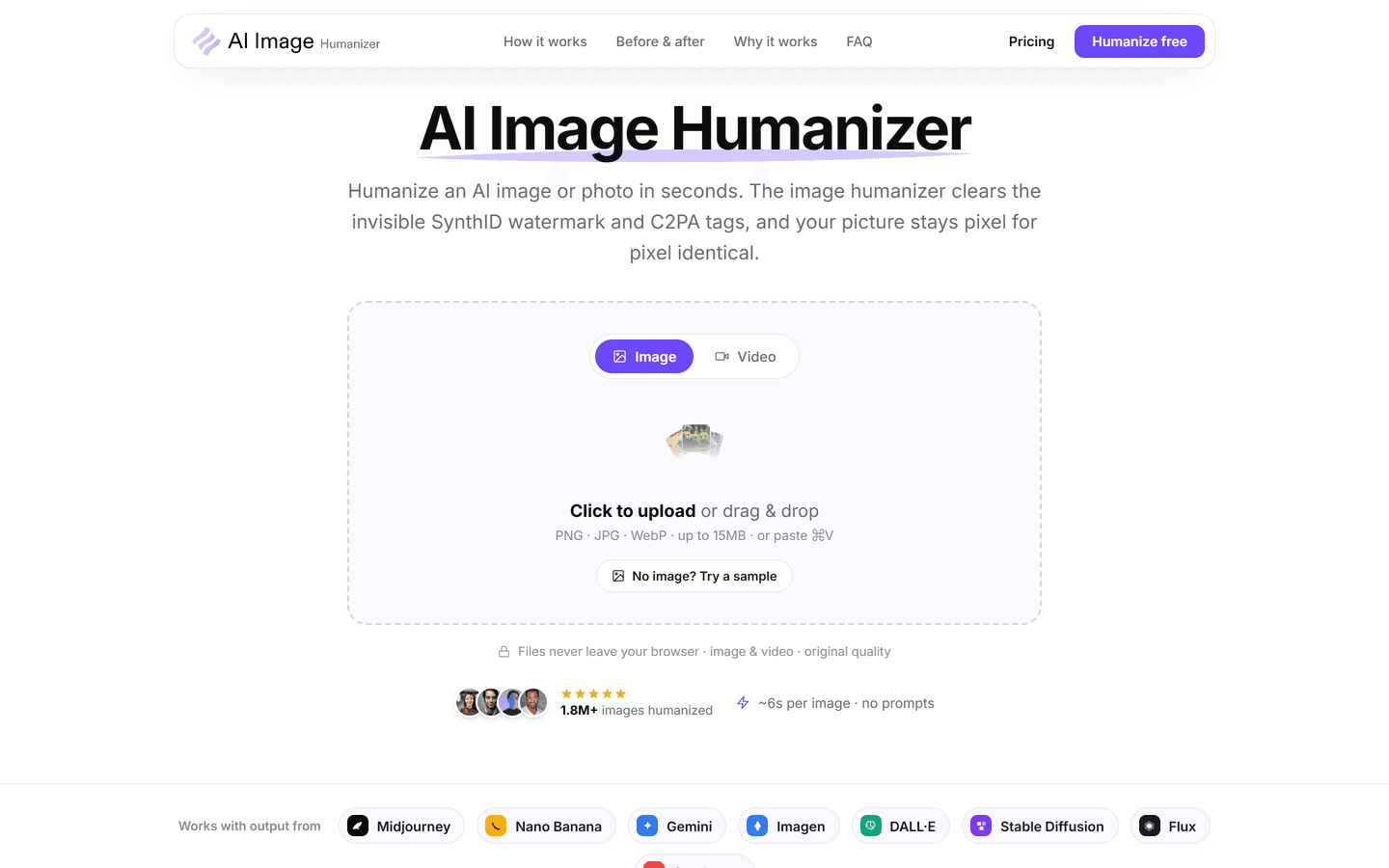
AI Image Humanizer
Humanize AI-generated images while preserving their visible appearanceExplore AI Tools
Overview
AI Image Humanizer is a browser-based tool for creators, designers and ecommerce teams. It processes AI-generated images by clearing SynthID and C2PA provenance signals while preserving the visible appearance and original resolution. It supports PNG, JPG and WebP exports from major AI image generators.
Core Features
Clears SynthID and C2PA provenance signals; preserves visible image appearance and resolution; supports PNG, JPG and WebP; works with Midjourney, Gemini, DALL·E, Stable Diffusion, Flux and Seedream; browser-based workflow.
Use Cases
Preparing AI-assisted brand visuals, ecommerce product imagery, social media assets, editorial illustrations and client deliverables.
Pros & Cons
Pros
- Removes SynthID and C2PA in one pass
- Pixel-for-pixel identical output
- Files processed locally in browser
- Supports PNG, JPG and WebP formats
- Frame-by-frame video support
- Fast average processing time
- Credit-based plans for predictable costs
- Batch cleaning for high-volume needs
- Priority queue available on Scale
- Free trial to test full results
Cons
- Cannot guarantee every AI detector will always pass
- Not a tool for creating new image content
- Credit limits may affect heavy users
- Requires a modern browser for in-browser processing
- Tool is not open source
FAQs
AI Image Humanizer removes hidden SynthID pixel watermarks and clears signed C2PA metadata while preserving the visible image pixel-for-pixel. Learn more at https://aiimagehumanizer.com/.
No. The service returns a pixel-for-pixel identical file with the same resolution and visible appearance; only hidden signals are altered.
The engine scans pixels for SynthID patterns and reads C2PA metadata, then rewrites the watermark and clears credentials in a single pass without visible changes.
No. Processing happens in your browser by default, so files never leave your device and are not used for training.
AI Image Humanizer supports PNG, JPG and WebP for images and handles video frame-by-frame for common clip formats.
Yes. The tool reads the image file itself, so outputs from Midjourney, DALL·E, Stable Diffusion, Gemini and similar generators are supported.
No tool can promise perfect results across every classifier. Humanizing removes two major detector inputs, improving odds but not guaranteeing pass rates.
AI Image Humanizer offers a $1, 1-day trial that lets you test unlimited removals for 24 hours before choosing a Grow or Scale plan.
Each image uses 5 credits. Grow includes 1,000 credits per month; Scale increases monthly credits and adds bulk features. Video is billed by length.
No. The engine cleans every frame and tracks the signal across the clip to avoid flicker while preserving original quality.
Yes. Cancel before the day two cutoff to avoid ongoing billing. The $1 trial requires only an email and payment method to start.
Processing in the browser keeps files private. AI Image Humanizer does not store or use user files for training or resale.
Upgrade to the Scale plan for batch processing, unlimited file size, higher credits and a priority processing queue.
Full pricing, credits, and plan comparisons are available on the pricing page at https://aiimagehumanizer.com/pricing.
AI Image Humanizer provides a technical service. Legal responsibilities depend on use cases and platform terms; check local laws and platform policies before publishing.
AI Image Humanizer Alternatives

Vheer
Free-to-use image generatorTry Photo Hosting
freemium
•
AI Art Generator

Wondershare Virbo
Generate Engaging AI Videos in Minutes!Graphics & Animation...
freemium
•
AI Avatar Creator

Deftship
All-In-One shipping platform offers deep discount parcel and...
paid
•
Freight Management

Winston AI
The most trusted AI detectorExplore AI Tools
paid
•
AI ChatGPT Detection